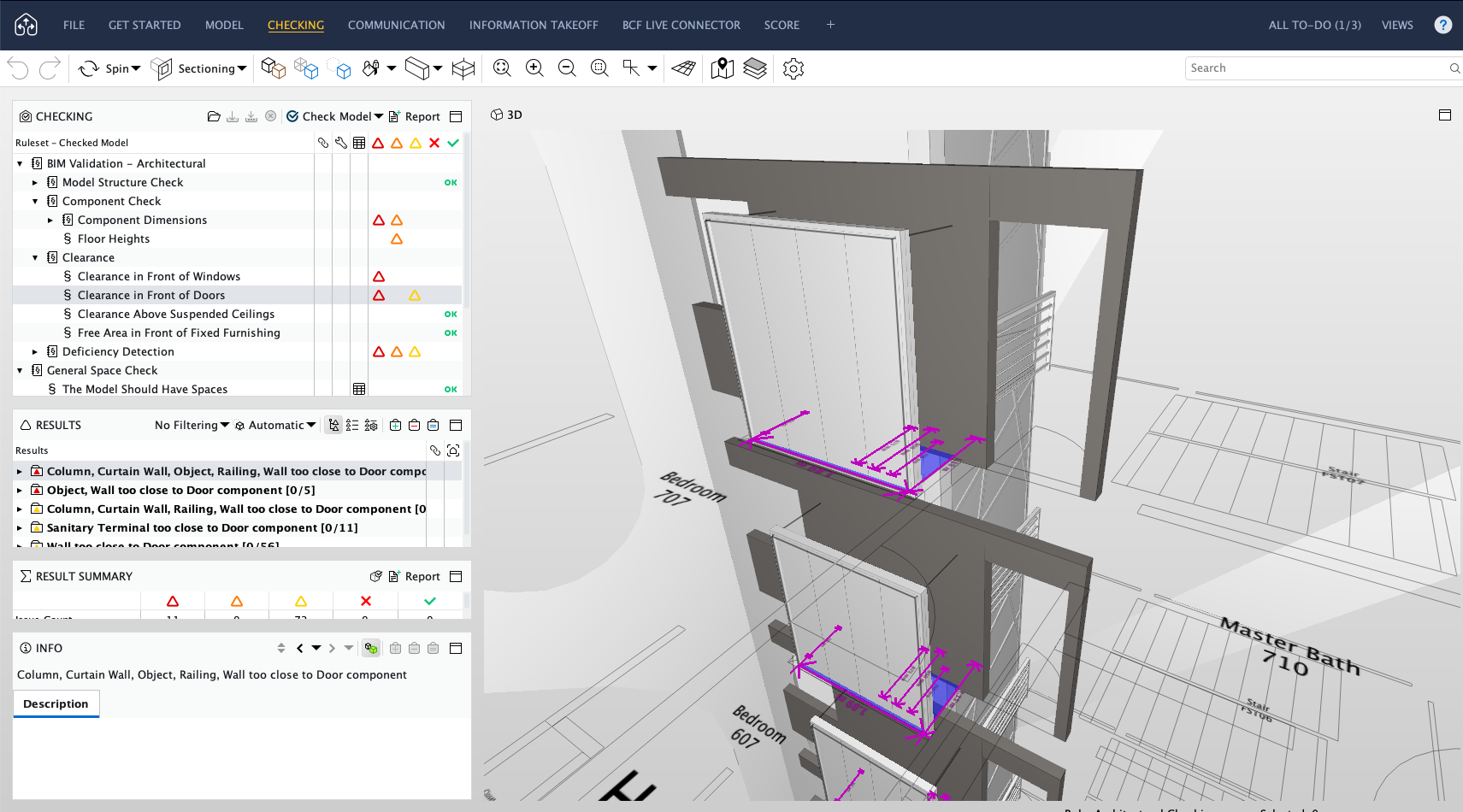
BIM can feel overwhelming at first. For beginners, the challenge is often knowing where to start: how to move from 2D drafting to a coordinated 3D model, how to manage drawings, and how to keep changes consistent across plans, sections, schedules and presentations. For experienced users, the challenge is different but just as real: reducing repetitive work, improving coordination, and keeping up with faster project timelines.
That is where Archicad continues to stand out. Built specifically for architects, Archicad combines intuitive modelling, documentation, collaboration and visualisation in one BIM environment. With the latest version of Archicad, Graphisoft has pushed the platform further with productivity improvements, AI-powered assistance, integrated MEP workflows and better collaboration tools.
Here are 10 Archicad features that help architects work faster and smarter.
1. Architect-friendly BIM modelling
Archicad is designed around the way architects think and work. Instead of separating design from documentation, it allows users to develop a coordinated BIM model where floor plans, elevations, sections, 3D views, schedules and layouts are connected. When the model changes, related drawings and data can be updated more consistently, reducing manual rework and helping teams focus on design quality.
For architects moving from traditional CAD or from another BIM platform, this makes Archicad a strong BIM authoring choice because the workflow feels visual, design-led and less fragmented.
2. Faster design changes with smart editing tools
Small repetitive tasks can slow down a project more than expected. In Archicad 29, Graphisoft added several productivity improvements, including the ability to quickly rotate elements by 90 degrees, input openings directly in section or elevation, filter unused views, and set 3D view resolution more easily.
These may sound like small updates, but for architects working through multiple revisions, they remove friction from everyday modelling and documentation. The result is a smoother design process with fewer interruptions.
3. AI Assistant for in-app support
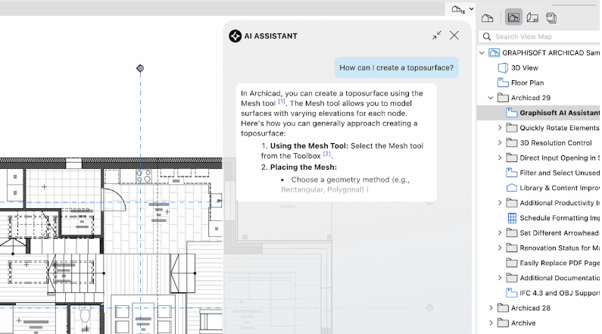
Figure 1: AI Assistant supports architects with contextual answers and
step-by-step guidance inside Archicad.
One of the headline additions in Archicad 29 is the AI Assistant (Beta). Built directly into Archicad, it helps users ask questions about tools, workflows and architectural concepts without leaving the software.
For beginners, this can shorten the learning curve. For experienced users, it can reduce time spent searching through help pages or documentation. The AI Assistant can also support BIM queries, such as selecting model elements using natural language. For example, users can describe what they want to find in the model instead of manually filtering through complex criteria.
4. AI Visualizer 2.0 for faster concept communication
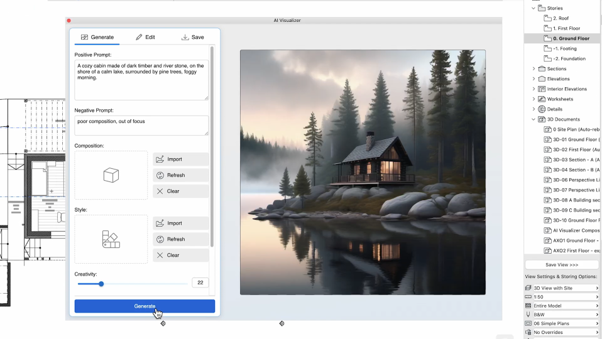
Figure 2: AI Visualizer concept generated from a text prompt.
Early-stage design often needs quick visuals before there is time for full rendering. AI Visualizer 2.0 helps users generate concept images, textures, patterns, isolated objects and higher-resolution visuals using text prompts.
This is especially useful when communicating mood, massing, material direction or design intent to clients. Instead of waiting until the model is fully detailed, architects can explore and present multiple visual directions earlier in the process.
5. Strong documetation tools
Good BIM is not only about modelling. It is also about producing clear, consistent documentation. Archicad 29 includes documentation improvements such as renovation status for markers, different arrowheads for line tools, and improved schedule formatting.
For teams preparing tender, authority submission or construction documentation, better control over markers, schedules and drawing information and Graphic Overrides can help improve model visualisation, maintain documentation standards, reduce errors, and enhance drawing clarity.
6. Advanced schedules and data-driven outputs
Schedules are where BIM becomes more than a 3D model. Archicad allows design data to be organised into schedules, making it easier to review quantities, elements and project information. With Archicad 29’s improved schedule formatting, architects can present data more clearly and customise schedule outputs with greater flexibility.
This supports faster checking, better coordination and more reliable project information.
7. Teamwork and BIMcloud SaaS collaboration
Figure 3: Graphisoft BIMcloud’s illustration.
Modern projects are rarely handled by one person. Archicad’s collaboration ecosystem, including BIMcloud SaaS, enables teams to work together on a shared BIM project from anywhere without the need to deploy, maintain or manage their own servers.
With Graphisoft managing the hosting, updates, backups, and security of the platform, architectural teams can focus on design and documentation rather than IT administration. This makes BIMcloud SaaS particularly suitable for distributed teams, consultants, and hybrid work environments that require secure and reliable access to project data from anywhere.
Combined with BIMx, project communication can extend beyond the design studio, helping clients, consultants, and site teams review project information more effectively and make decisions with greater confidence.
8. OpenBIM and interoperability
Architectural projects involve many different stakeholders, from structural and MEP consultants to contractors, quantity surveyors and clients. Each party may use different tools, which is why interoperability is an important part of any BIM workflow. Archicad supports OpenBIM workflows, allowing teams to exchange project information through industry-standard formats such as IFC.
This helps architects coordinate more effectively with consultants while keeping the architectural model as the central source of design information. For practices working across multiple disciplines, Archicad supports smoother coordination, better project information control and more flexible collaboration across different project teams.
9. Intergrated MEP Designer workflows
Architectural teams often need to coordinate closely with mechanical, electrical and plumbing consultants, especially for commercial, residential, healthcare, education and mixed-use developments. When MEP information is disconnected from the architectural model, coordination issues can appear late in the project, leading to extra revisions, drawing updates and avoidable delays.
With Archicad 29’s MEP Designer, architects can work with building services information more efficiently within the BIM environment. This supports clearer coordination, more consistent documentation and better communication between design disciplines, which is especially useful for local practices managing authority submissions, consultant coordination and fast-moving project timelines.
10. BIMx for presentation and project communication
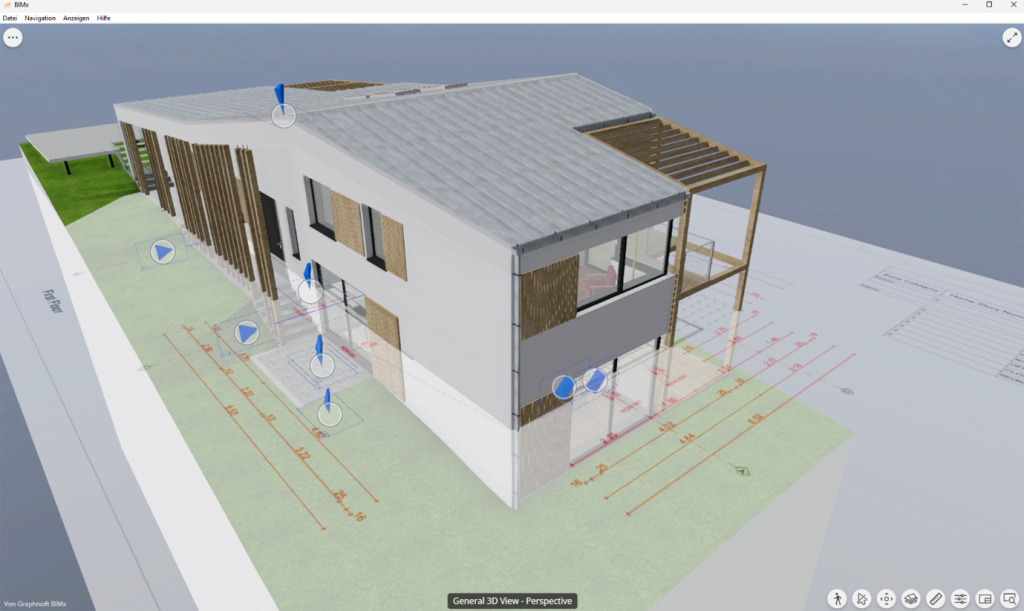
Figure 4: Interactive project review using BIMx.
BIMx is Graphisoft’s presentation and model-viewing tool that allows architects to share an interactive BIM experience with clients, consultants and project stakeholders for free. From Archicad, users can publish a BIMx Hyper-model that includes the 3D model, selected views, layouts, project information and element-level BIM data for easier design review and communication.
This is especially useful for client presentations, design coordination and site discussions, where not every stakeholder needs to work inside the full BIM authoring software. Instead, they can explore the project through an intuitive model viewer available on smartphones, tablets, desktop computers and web browsers. This flexibility allows stakeholders to access project information wherever they are, helping them better understand the design, navigate key spaces, review documentation and make informed decisions throughout the project lifecycle.
Work faster. Design smarter.
Architecture teams are expected to deliver clearer designs, better coordination and more accurate documentation within tighter timelines. Archicad supports this by bringing design, BIM data, documentation, collaboration and presentation workflows into one efficient environment, helping architects spend less time on repetitive tasks and more time developing better design solutions.
With Archicad 29, Graphisoft continues to strengthen the way architects model, coordinate and communicate project information, supported by practical productivity updates and new AI-assisted workflows. To explore the latest features in action, watch our on-demand webinar, What’s New in Archicad 29, or contact us for a consultation, quotation or personalised recommendation for your practice.