As BIM adoption grows across Malaysia, one challenge keeps coming up: how do you ensure your models are not just complete — but actually usable, accurate, and compliant?
That’s where the combination of Archicad and Solibri makes a real difference. Instead of treating quality control as a last step, this workflow builds it into your process from the start.
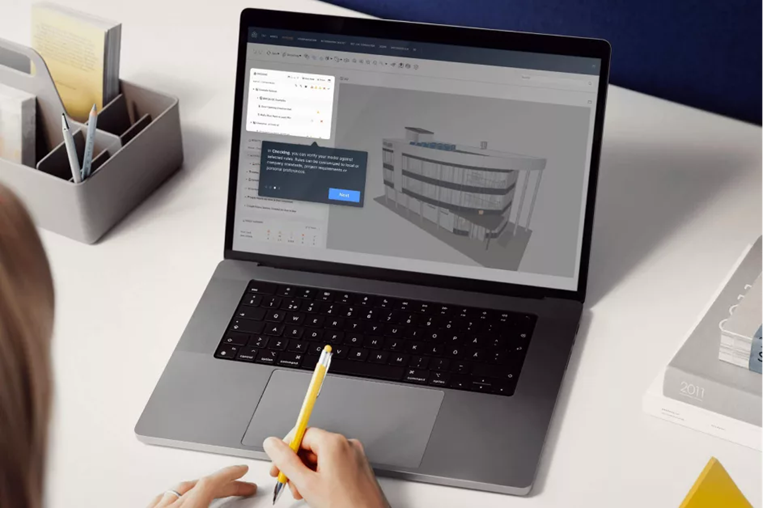
Figure 1
What BIM Quality Really Means (and Why It Matters)
BIM quality isn’t just about having a detailed model. It’s about whether your model can be trusted — by your team, your consultants, and your clients.
In Malaysia, where BIM is increasingly tied to project requirements and national guidelines, poor-quality models can quickly lead to coordination issues, approval delays, or rework on site. A good model, on the other hand, becomes a reliable single source of truth.
Building It Right with Archicad
It all starts with how you model.
Archicad helps teams create cleaner, more structured BIM models through its intelligent tools and real-time coordination features. Instead of juggling disconnected drawings, everything stays linked — plans, sections, schedules — all updating together.
For architects especially, this means fewer manual errors and better control over design changes. It also supports an OPEN BIM approach, making collaboration smoother when working with different disciplines and software platforms.
Checking It Right with Solibri
Even the best models need validation — and this is where Solibri comes in.
Rather than manually checking drawings, Solibri allows you to run automated, rule-based checks on your model. You can quickly spot clashes, missing information, or elements that don’t meet project requirements.
What makes it powerful isn’t just detection — it’s clarity. Issues are clearly visualised and reported, so teams can fix problems early, instead of discovering them during construction.
When used together, Archicad and Solibri create a streamlined and effective OpenBIM workflow:
- Develop and refine the design model in Archicad
- Export the model in IFC format to enable open collaboration
- Perform model checking, validation, and clash detection in Solibri using the IFC model
- Communicate and track issues using BCF (BIM Collaboration Format)
- Resolve identified issues and continuously refine the model in Archicad
This continuous feedback loop helps teams stay aligned and catch problems early — before they become costly mistakes.
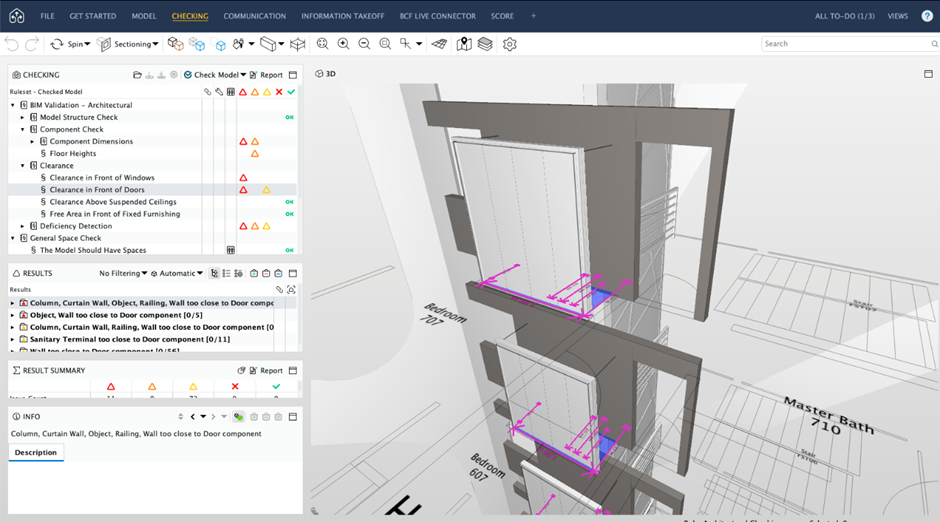
Figure 2: Solibri checks clearances around any object – here, the walls are too close to the doors.
Staying Aligned with Malaysia’s BIM Direction
In Malaysia, organisations like Construction Industry Development Board Malaysia are actively pushing for better BIM adoption and standardisation.
This means it’s no longer just about using BIM — it’s about using it properly. Structured data, consistent modelling practices, and validated outputs are becoming the baseline expectation.
You don’t need to overhaul everything to see improvements. A few practical steps can go a long way:
- Start with clear modeling standards and templates
- Check models regularly—not just at the end
- Use validation tools instead of relying on manual reviews
- Encourage better coordination between teams early on
Over time, these habits build a stronger, more reliable BIM workflow.
Ready to Take Your BIM Workflow Further
If you’ve ever struggled with model inconsistencies, last-minute clashes, or compliance issues, you’re not alone — and it’s fixable.
By implementing Archicad and Solibri, you can move from reactive problem-solving to a more proactive, quality-driven approach.
Reach out to us via bim@cadcam.com.my to see how this workflow can be applied to your projects — and start delivering BIM models you can truly rely on.